A handful of cards organizes itself. A few hundred does not. As your library grows, the difference between a deck you actually study and one you avoid comes down to organization — can you find the right cards, keep each one focused, and group related decks together?
MintDeck gives you four tools for that: tags, notes, media (images, audio, and math), and folders. None of them cost a credit. Here's how to use each one well.
Tag every card so you can slice a big deck
A tag is a label you attach to a card — high-yield, chapter-3, verbs, whatever fits your material. Cards can carry several. Once your cards are tagged, a single deck stops being one undifferentiated pile: you can filter it down to exactly the slice you want to drill.
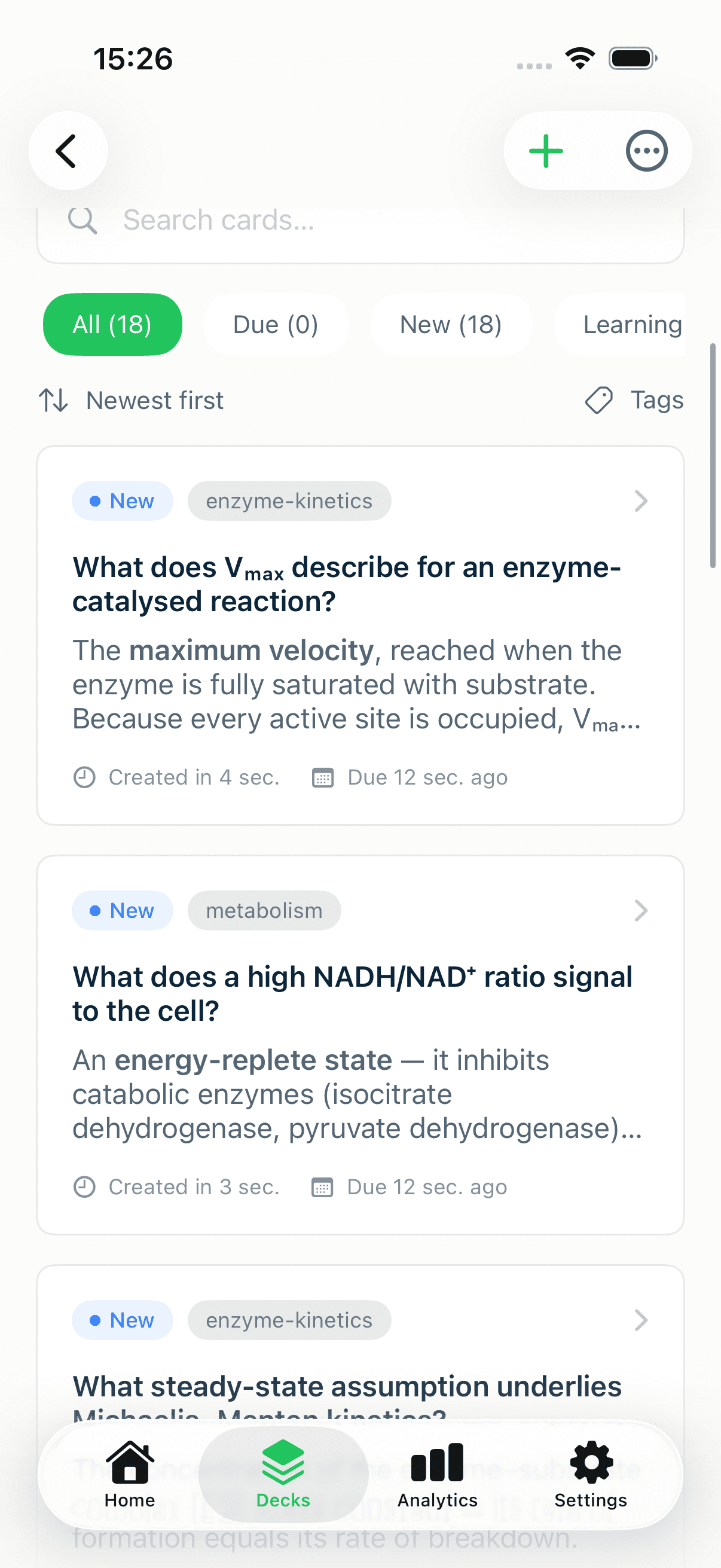
To add tags, open a deck, tap a card to edit it, and use the Tags field — each tag becomes a chip you can remove with a tap. (Importing a CSV with a Tags column tags everything in one go; see the CSV import guide.)
Keep card faces clean with notes
The front and back of a card should hold the prompt and the answer — nothing more. Everything else — the extra context, the worked example, the "why" — goes in Notes, attached to the card but tucked out of the way until you want it.
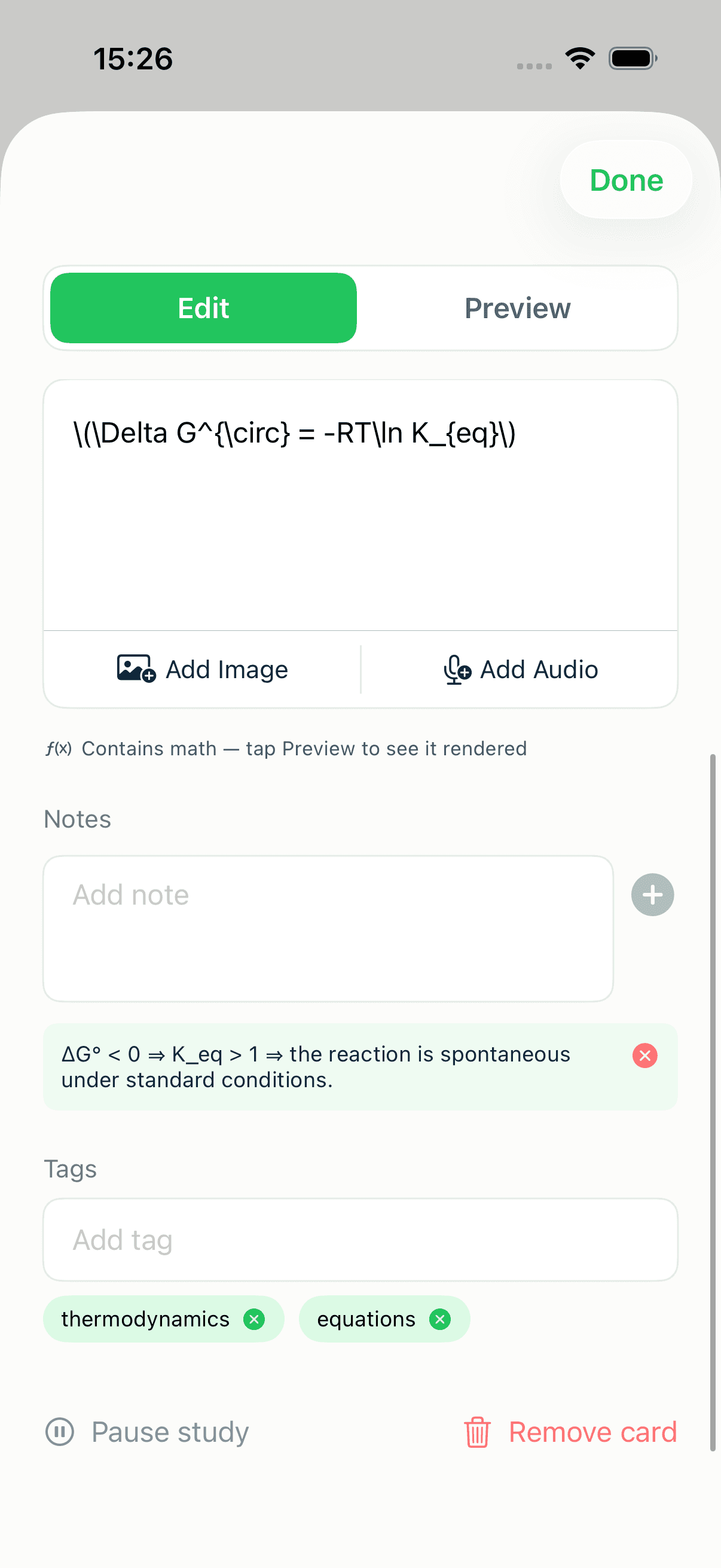
You can type notes yourself for free, or let MintDeck draft one for you with AI (under 1 credit per note, free on Apple Intelligence devices). During study, a note shows as a small badge on the card; tap it to read the full note without cluttering the face. The card editing guide walks through notes, images, and audio in detail.
Add media — and real math
A card isn't limited to text. You can enrich any card with:
- Images — upload your own for free, or generate one with AI (3 credits each) when a visual would help recall.
- Audio — two on-device voices ("On-Device" and "System Voiceover") are completely free; an optional premium "Cloud Generation" voice costs 1 credit per card when you want studio-quality narration.
- LaTeX formulas — write math with standard delimiters (
\(...\)for inline,\[...\]for display) and MintDeck renders it as real, crisp math instead of plain text.
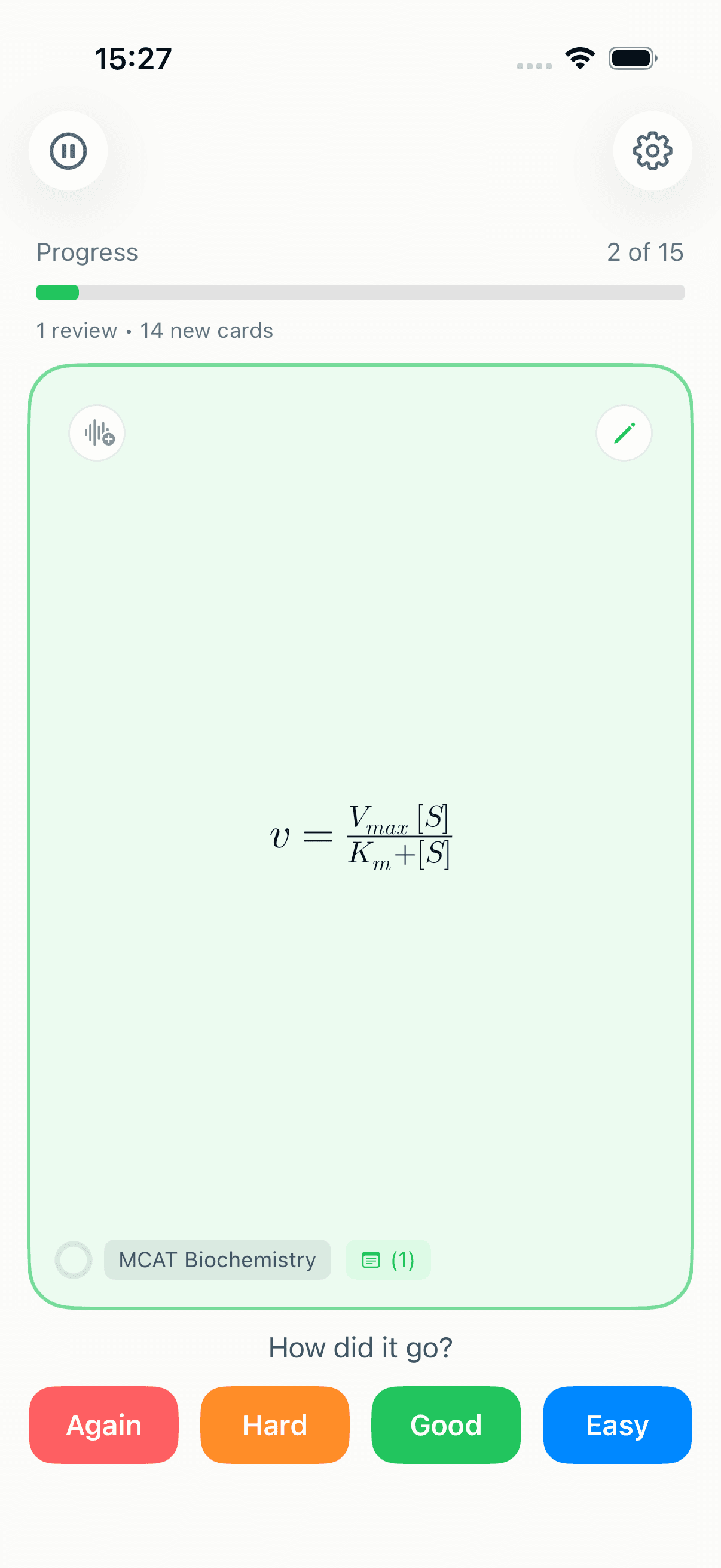
That makes a single deck capable of handling everything from language vocab (audio) to anatomy (images) to biochemistry (equations) — no need to fragment your material across apps.
Group decks into folders
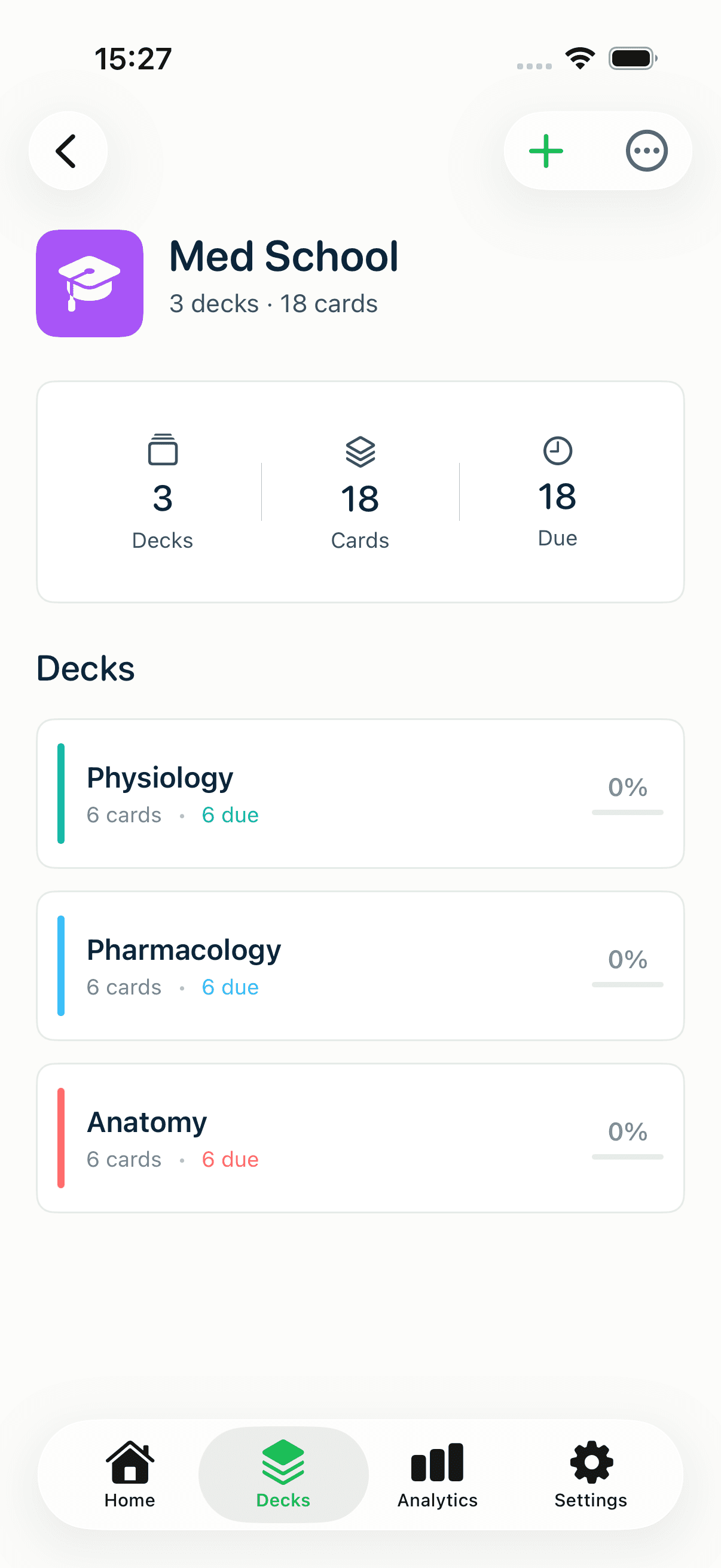
Tags organize cards inside a deck. Folders organize the decks themselves. Drop "Anatomy," "Pharmacology," and "Physiology" into a "Med School" folder and your Decks screen stays tidy as the count climbs.
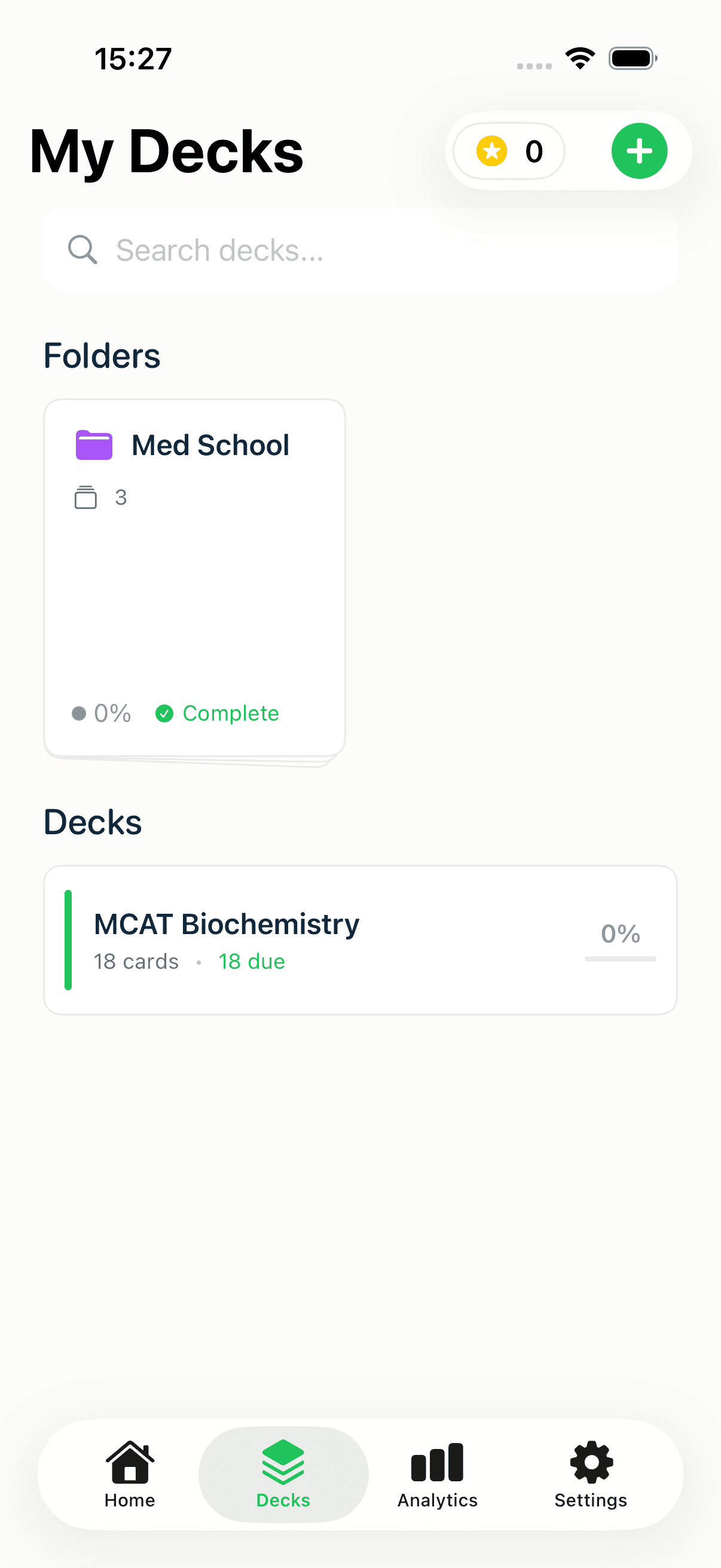
Create one from the + button on the Decks screen → New Folder. To file an existing deck away, long-press it and choose Move to folder…. Opening a folder shows its decks with a combined card and due count at the top.
How big should a deck be — and when to split?
There's no hard limit, but a useful rule of thumb: a deck should map to one coherent body of material you'd study in a sitting — a chapter, a unit, a vocabulary set. If you find yourself constantly filtering one giant deck by tag just to study a subset, that subset probably wants to be its own deck inside a folder.
Signs it's time to split:
- The deck mixes material you'd never review together (e.g. two different courses).
- You only ever study part of it.
- The name has an "and" in it.
Conversely, don't over-split. A dozen ten-card decks are harder to keep up with than three well-tagged decks in a folder. Let tags handle within-deck slicing and folders handle across-deck grouping.
A quick organization checklist
- Tag as you create, not later — it's a few seconds per card and saves a cleanup pass.
- Put context in notes, keep faces to prompt-and-answer.
- One folder per course or theme; let the folder's combined counts show your overall load.
- Split a deck when it stops being one thing you'd study together.
Where to go next
Organization is the foundation; technique is the payoff. Once your library is tidy, level up how you study with advanced study techniques — image occlusion, mnemonics, and two-way recall. To go deeper on enriching individual cards, see the card editing guide, and for the why behind the schedule, read the science of spaced repetition.
Written by
Sergiu Puscas · Creator of MintDeck
Sergiu builds MintDeck and writes every guide and comparison on this blog — drawing on building an FSRS-based flashcard app and hands-on testing of the study apps covered here.
More about Sergiu