Plain question-and-answer cards will take you a long way. But some material — a labeled diagram, a tricky term, a formula, a vocabulary pair — rewards a smarter card. MintDeck has four techniques that serious learners lean on: image occlusion, mnemonics, LaTeX math, and reverse cards. Here's when and how to use each.
Image occlusion: learn diagrams the way you'll be tested
Image occlusion hides parts of a picture and asks you to recall what's underneath. It's the single best technique for anything visual — anatomy, maps, circuit diagrams, processes — because you study the exact picture you'll see on the test, not a paraphrase of it.
On the front, every label is masked:
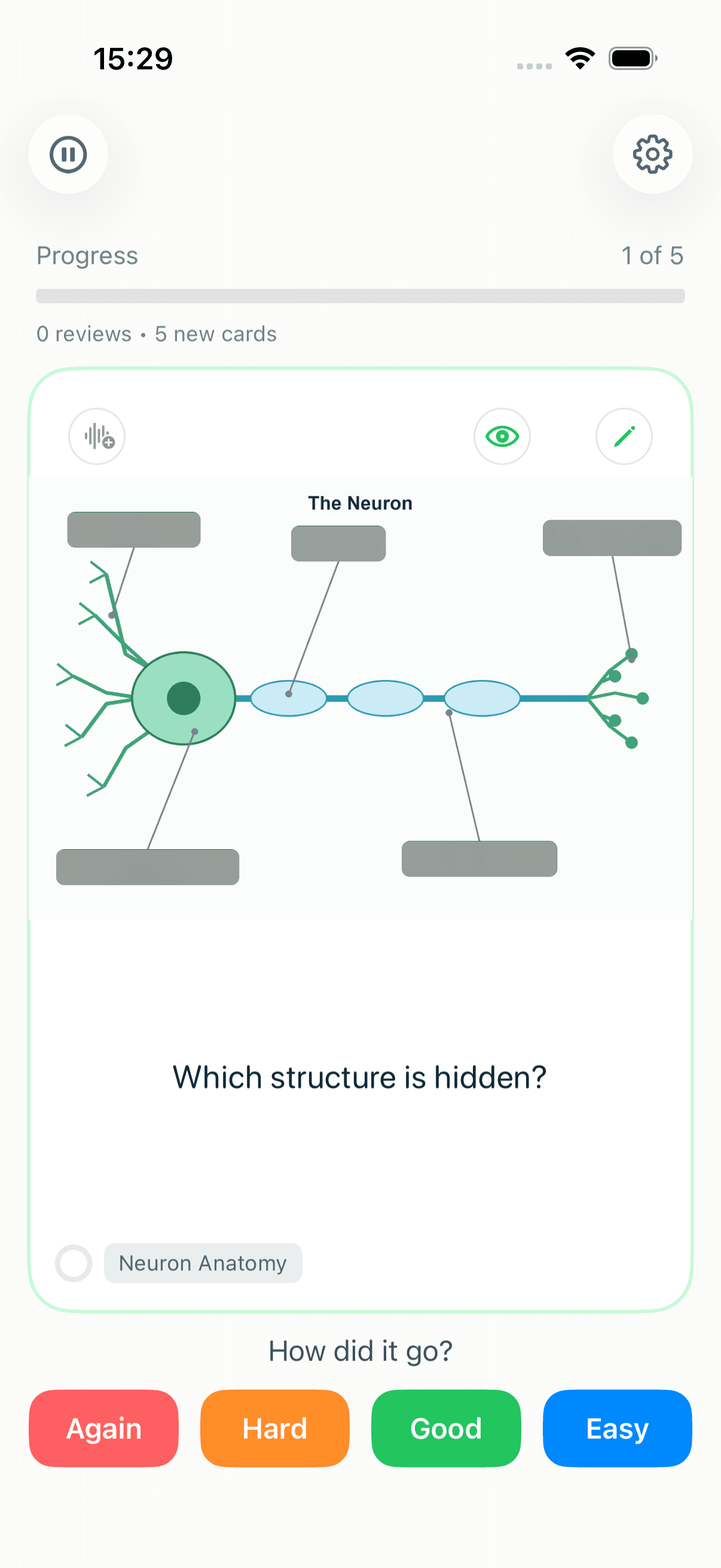
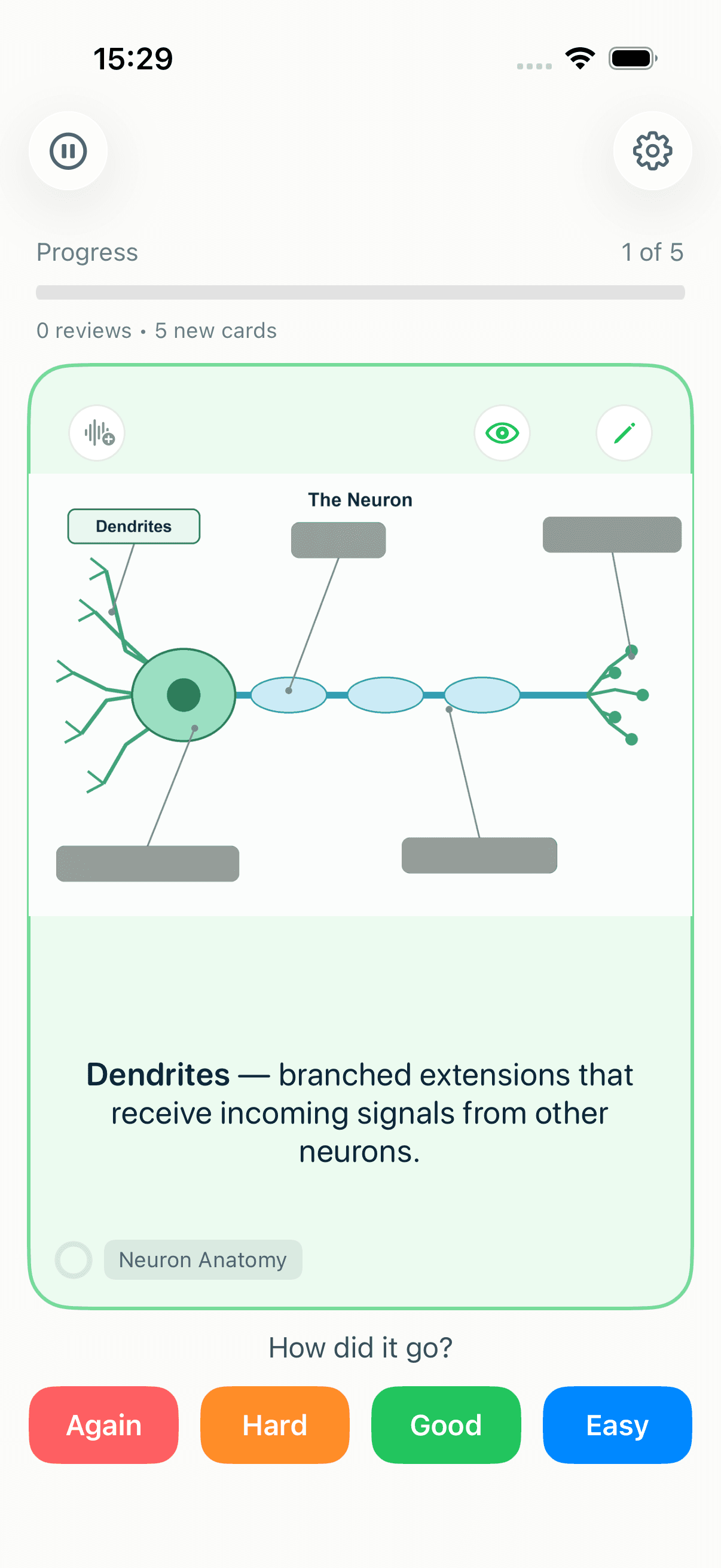
Flip the card and one mask lifts, revealing just that answer — so each hidden region becomes its own card with its own schedule:
You can get occlusion cards two ways:
- Import them from Anki. Any image-occlusion notes in an
.apkgcome straight across — see the Anki import guide. - Create them in MintDeck. Add an image to a card, tap the image to open the occlusion editor, and draw a box over each part you want to hide. MintDeck turns every box into a card automatically.
Mnemonics: make the hard ones stick
When a fact just won't lodge, a mnemonic — a vivid, slightly absurd mental hook — often does the trick. MintDeck can suggest one for you. In the card editor, open the image generator and tap Suggest mnemonic: it reads both sides of the card and proposes a memorable visual or verbal hook connecting the prompt to the answer.
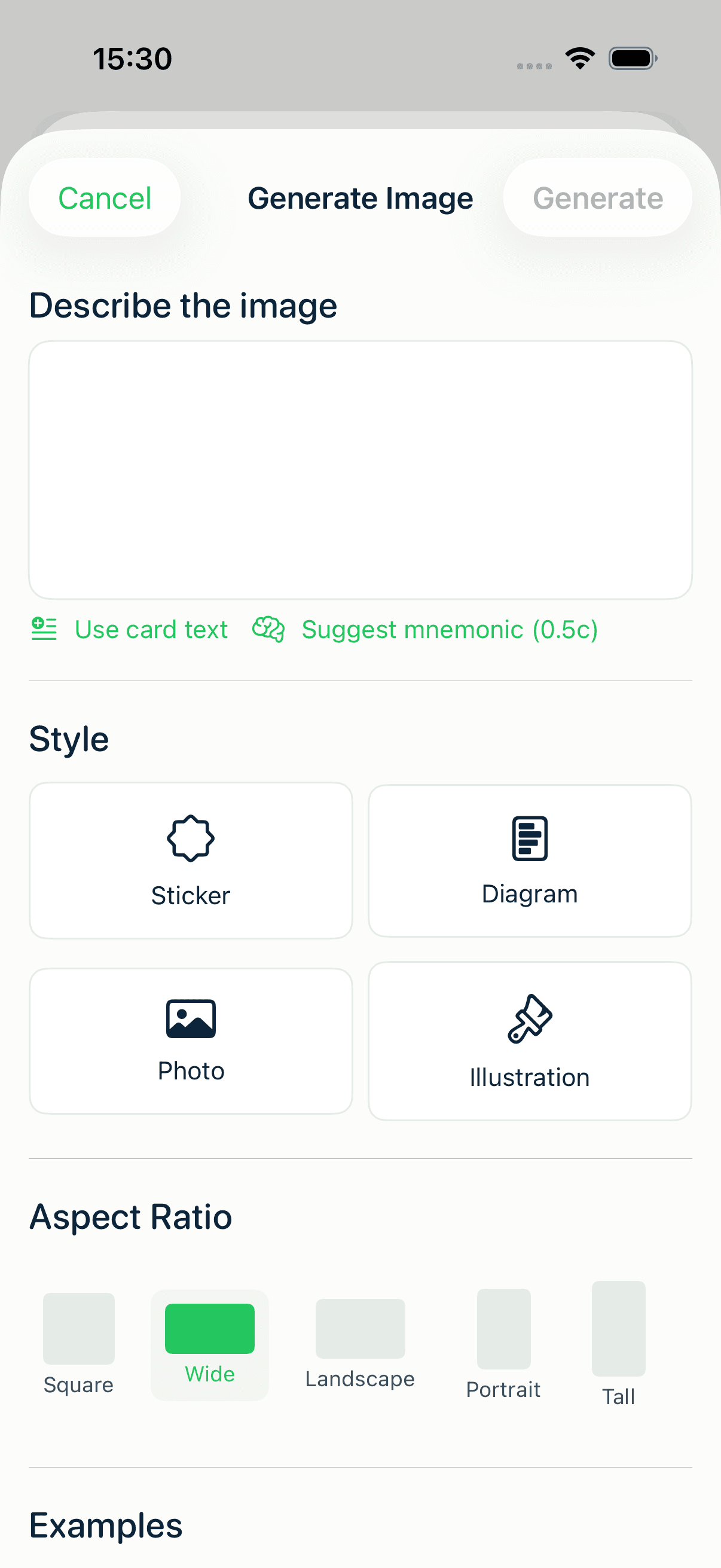
The cost depends on your device:
- On a recent iPhone or iPad with Apple Intelligence (iPhone 15 Pro and later, or an M-series iPad), mnemonic suggestions run on-device and free.
- On other devices, MintDeck falls back to the cloud for 0.5 credits per suggestion.
Turn the suggestion into a note on the card, or use it as the prompt to generate a mnemonic image. Either way, it lives with the card for every future review.
LaTeX: real math, not screenshots
For any STEM subject, typing formulas as plain text is a dead end. MintDeck renders LaTeX natively — write \(...\) for an inline expression or \[...\] for a displayed one, and it appears as crisp, properly typeset math on the card (and in Audio Study).
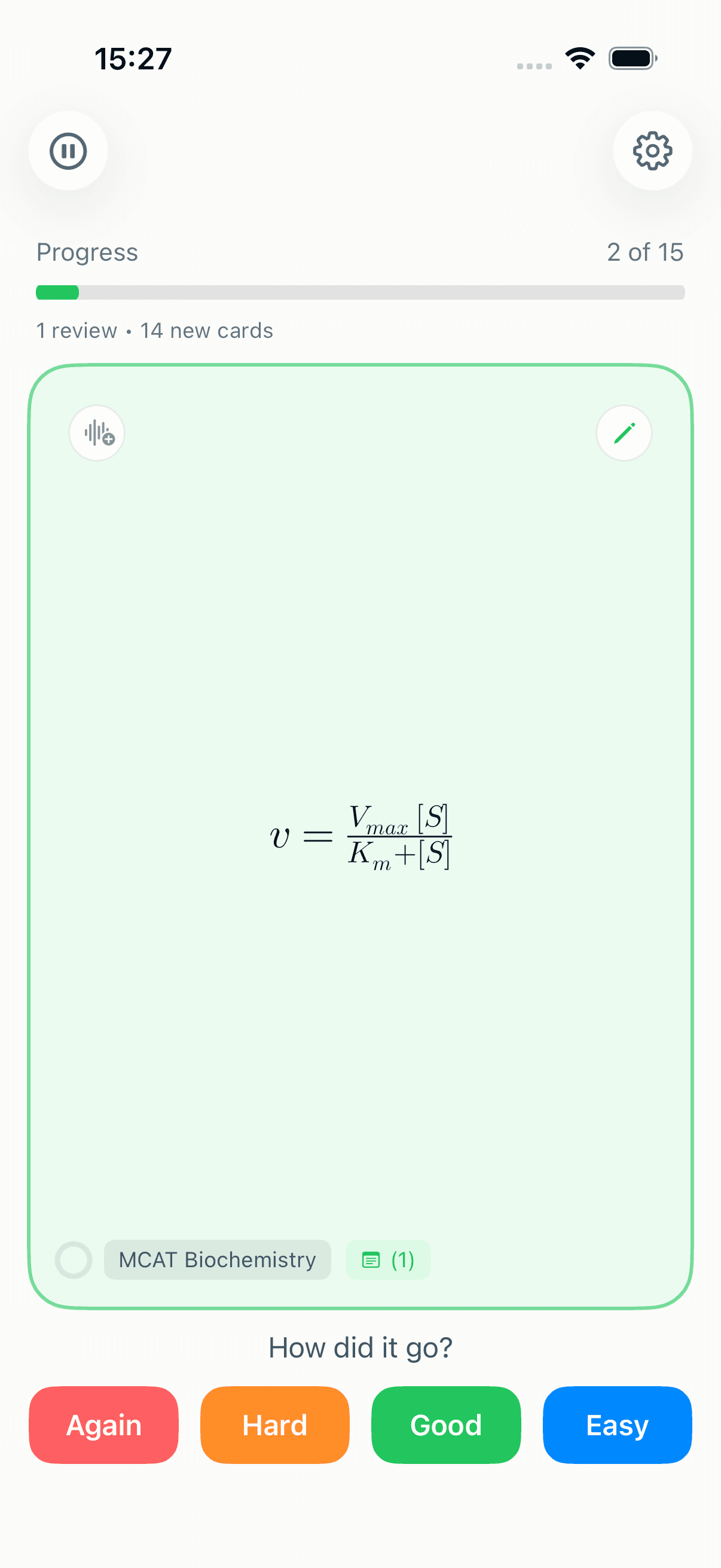
No image files to manage, no blurry screenshots — just write the math and it renders. It works on card faces and in notes, so a derivation can sit cleanly in the note while the card face asks the question.
Reverse cards: drill recall both directions
A vocabulary card you only ever see "English → Spanish" trains you to produce Spanish but not to recognize it. Reverse cards fix that by showing the back first.
In the pre-session Study Settings sheet, flip on Reverse front and back:
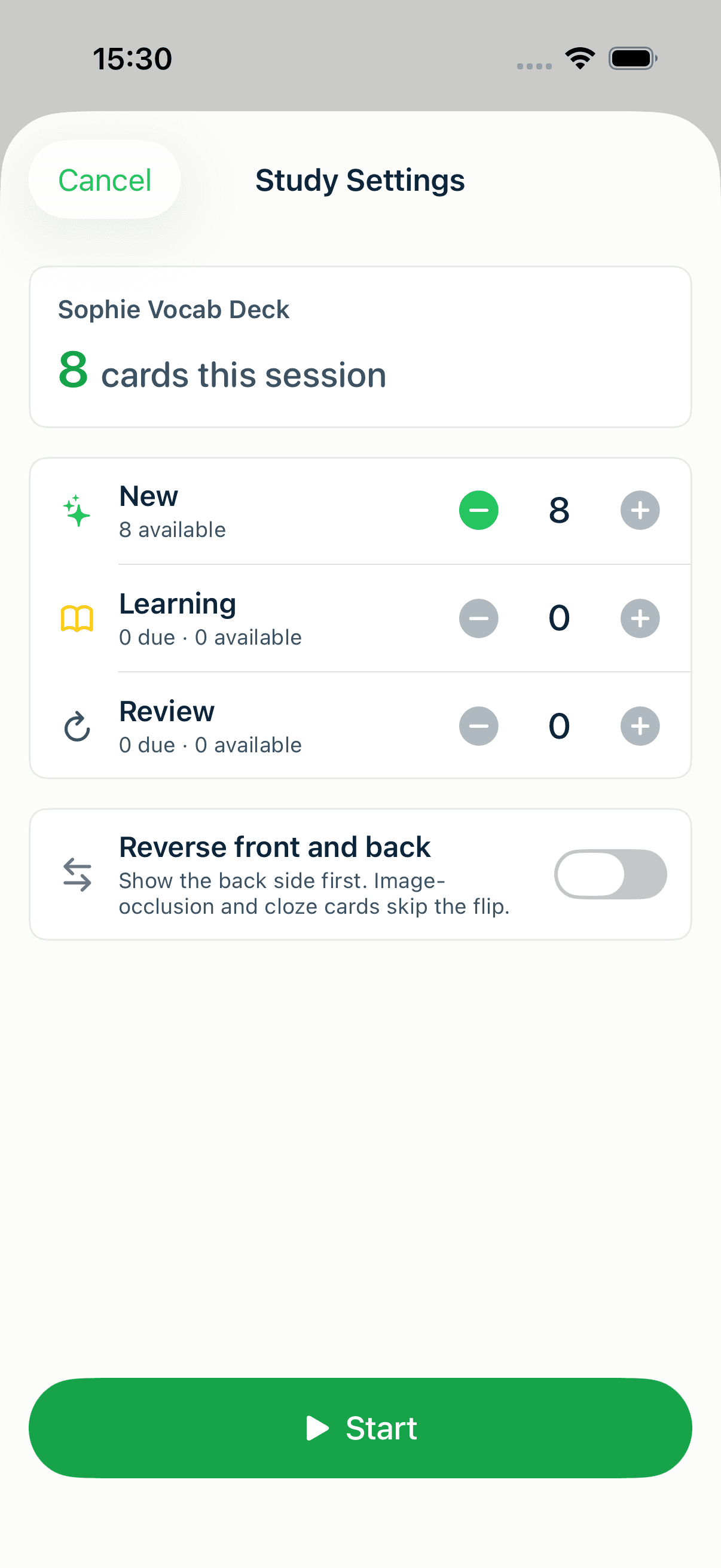
A few things worth knowing:
- It's a per-session choice, not a permanent change to your cards — turn it on for a recognition drill, off for production.
- Cloze and image-occlusion cards skip the flip automatically (reversing them wouldn't make sense), as the toggle's caption notes.
- It pairs perfectly with vocabulary and term/definition decks.
Putting it together
These techniques aren't mutually exclusive — a well-built deck uses several. An anatomy deck might combine occlusion diagrams with mnemonics for the tricky names. A language deck pairs reverse cards with audio. A physics deck leans on LaTeX. Pick the technique that matches the material, and let MintDeck's spaced-repetition engine handle the timing.
Where to go next
Start by getting your library in order with how to organize your flashcards, then layer these techniques on top. For the broader study-method playbook, see proven study techniques, and to understand why the review schedule works, read the science of spaced repetition. New to MintDeck? Start with the free study walkthrough.
Written by
Sergiu Puscas · Creator of MintDeck
Sergiu builds MintDeck and writes every guide and comparison on this blog — drawing on building an FSRS-based flashcard app and hands-on testing of the study apps covered here.
More about Sergiu