
The same app serves a med student six weeks out from an exam and someone drilling French vocabulary on the train every morning — but the setup is different. This guide gives you a concrete recipe for each. The building blocks are the same handful of settings; the difference is how you dial them in.
Step 1: Set a daily plan you'll actually keep
Go to Settings → Daily Goal to open Learning Preferences. Two knobs decide your pace.
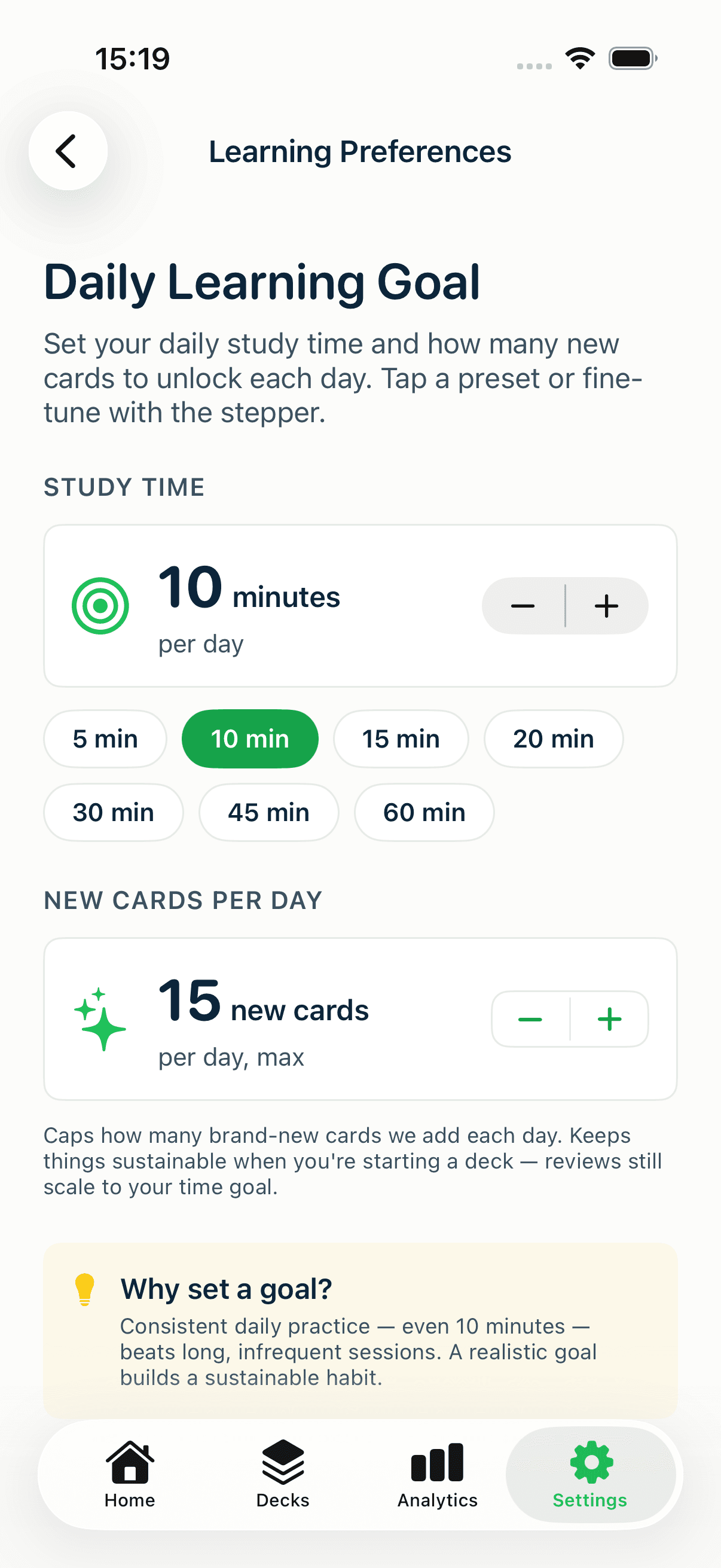
- Study time — a daily minutes target (1–180). This is the habit anchor. Pick something you'll hit on a bad day, not your best day.
- New cards per day — caps how many never-seen cards enter your queue daily (5–50, in steps of 5). This is the single most important knob for matching MintDeck to your goal.
The logic: reviews are non-negotiable (they're cards you're about to forget), so they always come due. New cards are the throttle. Raise the cap to move through fresh material faster; lower it to keep the daily load sane.
Step 2: Control each study session
Tap Study on any deck and MintDeck shows a settings sheet before the session — your chance to shape exactly what you study right now.
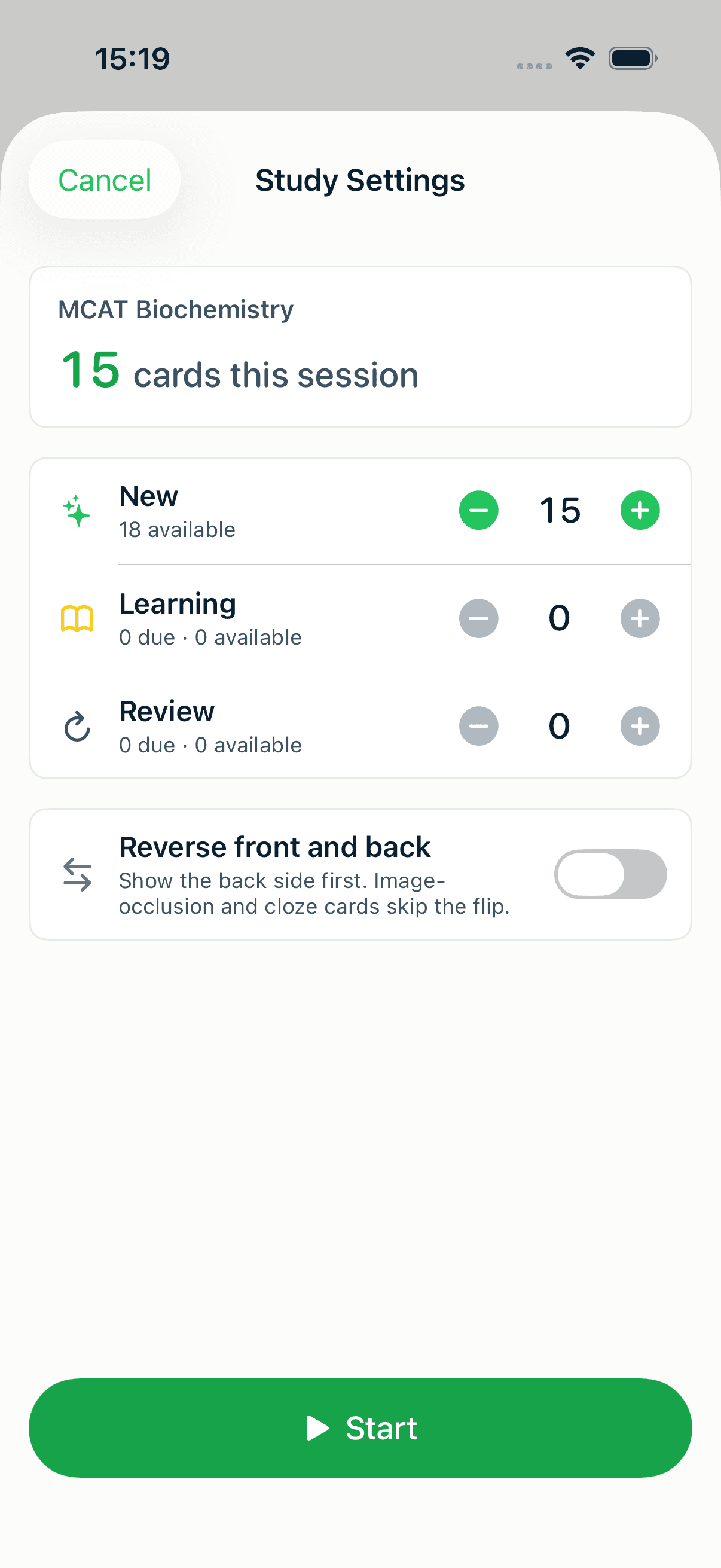
The sheet opens at a sensible daily plan and splits your queue three ways:
- New — cards you've never seen.
- Learning — cards you're still nailing down (short intervals).
- Review — cards coming due on their long-term schedule.
Each row shows what's due and what's available, and you can dial any of them up or down for this one session — every count is capped by the pool actually available. Short on time today? Drop new cards to zero and just clear your reviews. Got a free hour before an exam? Push the numbers up.
Reverse cards: the language-learner's favorite
At the bottom of that same sheet (visible in the screenshot above) is Reverse front and back.
For vocabulary this is essential. A card with "el aeropuerto → the airport" tests recognition; flip it and you're tested on production — seeing "the airport" and recalling "el aeropuerto." Real fluency needs both directions, and this toggle gives you the reverse drill from the exact same deck, no duplicate cards required.
Step 3: Organize by course or syllabus with folders
As your collection grows, group related decks into a folder — one per course, subject, or language.
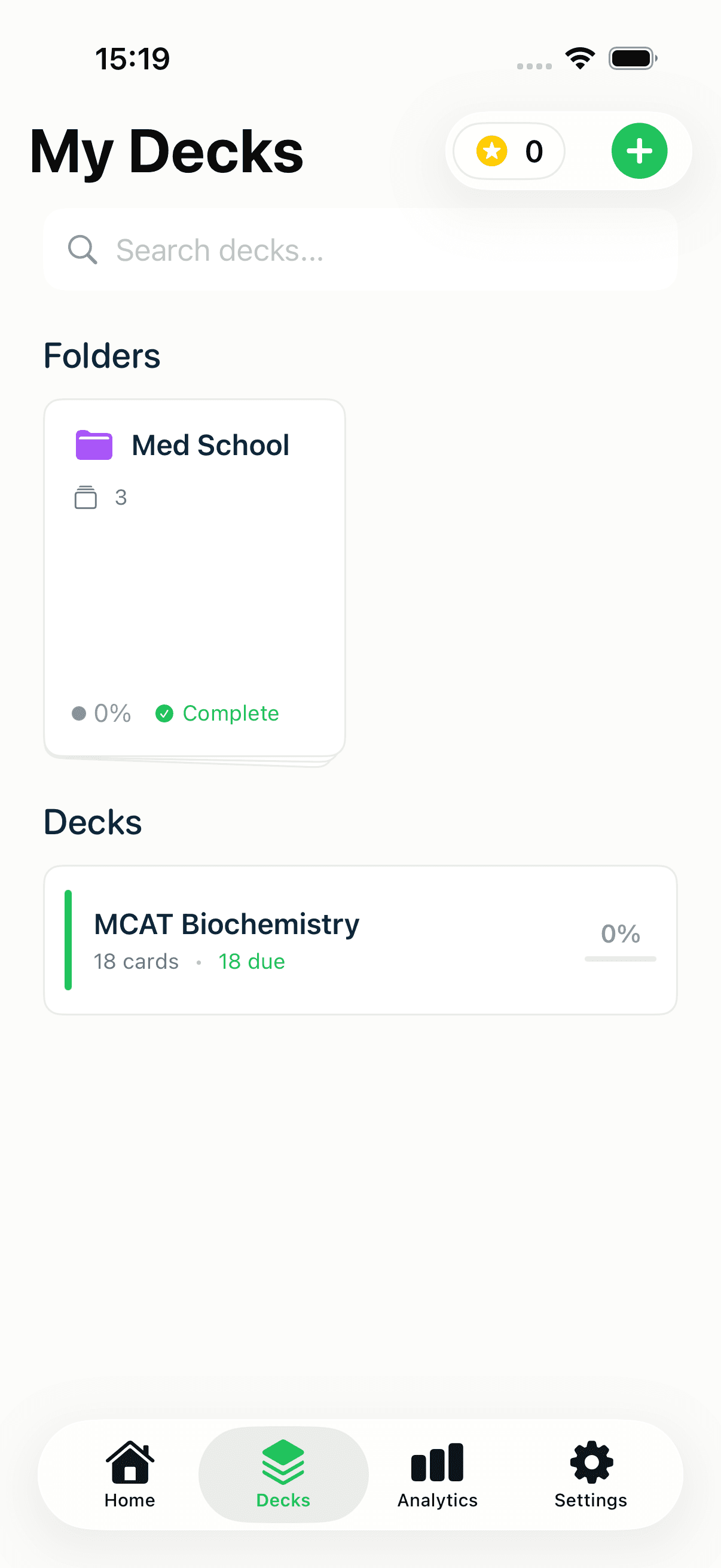
Tap + on the Decks screen to create a folder, then move decks into it. A language learner might keep a "Spanish" folder holding Vocabulary, Verbs, and Travel Phrases; an exam taker might keep a "Med School" folder with a deck per subject. Folders are one level deep — a clean, flat structure that keeps a big library navigable without turning into a maze.
Step 4: Stay consistent (and study hands-free)
Turn on a reminder. Under Settings → Reminder Time, enable notifications and either pick a fixed time or let Smart Scheduling learn when you actually study. A deadline is a great motivator; a daily nudge is what keeps the habit alive between now and then.
Use Audio Study for languages. Vocabulary and phrases are perfect for hands-free review — MintDeck reads the front, pauses, then reads the back, so you can drill on a commute or a walk with the free on-device voices. The free study walkthrough shows Audio Study in action.
Two recipes
"I have an exam in 6 weeks"
- Front-load new cards. Raise New cards per day to clear all your material with a couple of weeks to spare for pure review. If you have 600 cards and 40 study days, that's ~20–25 new per day.
- Set a realistic daily time you can hit even on busy days — consistency beats marathon sessions.
- Group the course in a folder, one deck per topic, so you can target weak areas.
- Rate honestly. In the final two weeks, new cards taper off and reviews dominate — that's the schedule surfacing exactly what you're about to forget, right before test day.
- Turn on a reminder so no day slips.
"I want a daily language drill"
- Keep new cards low and steady — 5 to 10 per day. Language learning is a marathon; a sustainable trickle beats burnout.
- Study both directions. Use the Reverse toggle (or alternate sessions) so you build recognition and production.
- Lean on Audio Study for pronunciation and listening on the go.
- Organize by theme — a folder with Vocabulary, Verbs, and Phrases decks.
- Same time every day. A fixed reminder turns study into a ritual.
Where to go next
These knobs all live in one place — the complete MintDeck settings guide explains every control in one line each. If you're still building your decks, the CSV import guide and the Anki import guide are the fastest ways to get your material in, and the science of spaced repetition explains why this setup works.
Written by
Sergiu Puscas · Creator of MintDeck
Sergiu builds MintDeck and writes every guide and comparison on this blog — drawing on building an FSRS-based flashcard app and hands-on testing of the study apps covered here.
More about Sergiu