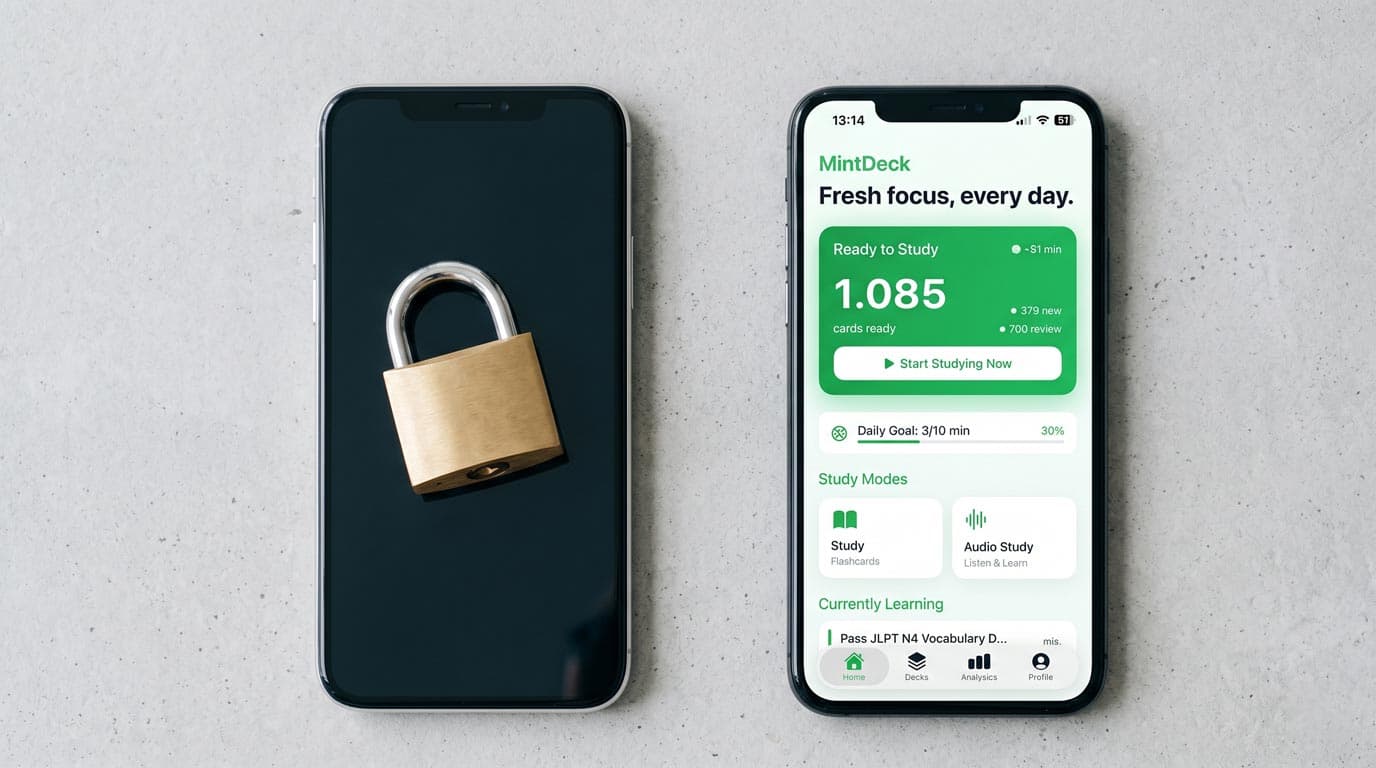
You're not imagining it. Quizlet moved its best study features behind a paywall, and the free tier that used to work for serious studying no longer does.
This page won't help you bypass Quizlet's paywall — that's not how subscriptions work, and "bypass" methods circulating online are either scams, ToS violations, or already patched. What this page will do is show you how to get the same study experience, entirely free, using apps that haven't locked their core features away.
What Quizlet Locked Behind the Paywall
Quizlet's free tier changed significantly in 2025–2026. Here's what's now behind Quizlet Plus (see the plans below):
- Learn mode — the adaptive quiz that figures out what you don't know and prioritizes it. This was Quizlet's most effective study tool. Now paywalled.
- Practice Tests — auto-generated tests from your card set. Paywalled.
- Quizlet AI — AI-powered flashcard creation and Q&A. Paywalled.
- Unlimited sets — heavy users are now capped on the free plan.
What's still free: Flashcards mode (basic flip-through), Matching, and browsing other users' public sets.
The issue is that the free features are passive — you look at cards, you match terms. The active learning features (the ones with memory science behind them) now cost money.
Quizlet Plus Plans (2026)
Quizlet sells two paid plans, each billed monthly or annually. Prices vary by country, so check Quizlet's upgrade page for the price where you live.
| Plan | What it includes |
|---|---|
| Free | Flashcards, Match, public sets — with ads and limited Learn/Test access |
| Quizlet Plus | 20 rounds of Learn, 3 practice tests, and 3 textbook solutions a month; ad-free |
| Quizlet Plus Unlimited | Unlimited Learn rounds, full practice test access, and textbook solutions; ad-free |
Two details are easy to miss:
- The low monthly price assumes you pay for a full year upfront. Annual billing is roughly 60% cheaper per month than paying month to month.
- Standard Plus is capped. The cheaper plan meters Learn and practice tests every month. Unlimited use means the pricier plan.
Is Quizlet Plus worth it?
It's worth it if Quizlet's shared set library is central to how you study and you'll use Learn and Practice Tests heavily for a specific exam, and you pay for the year upfront rather than month to month. It's harder to justify if you mainly study your own cards: you'd be paying yearly for adaptive review that free spaced-repetition apps already provide, and the cheaper Plus tier still meters it.
Why You Can't "Bypass" the Quizlet Paywall
Students search for workarounds, and some circulate in study communities. Here's why none of them work long-term:
Browser extensions or scripts — Quizlet patches these regularly. Any extension claiming to unlock Learn mode is either outdated, fake, or will get your account flagged.
Old cached versions — Quizlet's features are server-side. There's no cached "old Quizlet" to access.
Student discount links — Legitimate, but these still require payment. They reduce the cost, not eliminate it.
Using a friend's account — Against Quizlet's ToS. Shared accounts get flagged.
The honest position: if you need the features Quizlet paywalled, you either pay Quizlet or you switch to an app that offers them free.
Free Alternatives That Replace What Quizlet Paywalled
MintDeck — Best free Learn-mode replacement on iPhone
MintDeck is a free iOS flashcard app built on FSRS, a modern scheduling algorithm that does what Quizlet's Learn mode was supposed to do — adapts to what you know and prioritizes what you're about to forget. Core studying is completely free with no card or deck limit.
What you get that Quizlet's free tier no longer offers:
- Adaptive study sessions — FSRS scheduling learns your retention patterns and spaces reviews accordingly. This is more sophisticated than what Quizlet's Learn mode offered, not a downgrade.
- AI flashcard generation — paste notes, upload a PDF, describe a topic. MintDeck generates a full card set. 10 free AI credits on signup; more available as a one-time purchase (no subscription).
- Quiz mode — test yourself on your decks, completely free.
- Audio study — text-to-speech for hands-free review. Quizlet charges for this. MintDeck doesn't.
- Anki import — if you have
.apkgfiles from Anki or can export from Quizlet, MintDeck imports them.
The limitation: iOS only. If you study on Android or primarily on web, you'll need a different option.
Anki (Desktop) + AnkiDroid (Android)
Anki desktop is entirely free and has been the serious learner's standard for 15 years. For Android, AnkiDroid is also free. The scheduling is excellent — better than Quizlet ever offered. The tradeoff is a steeper learning curve and a less polished interface.
iPhone users: Anki's official iOS app (AnkiMobile) costs $24.99 upfront. That's a one-time fee, not a subscription — many users prefer this over Quizlet's recurring charge.
Best for: Power users who want maximum control over scheduling and don't mind a learning curve.
Remnote (Web/Desktop)
Remnote is a note-taking app with built-in spaced repetition. If your study workflow involves a lot of text notes that you want to convert into cards, Remnote handles this well. The free plan is functional. Less polished than Quizlet for pure flashcard use, but worth considering if you take structured notes.
Best for: Students who combine note-taking and flashcard review in the same workflow.
How to Move Your Quizlet Sets
Before switching, export what you have:
From Quizlet:
- Open a set → click the three dots (···) → Export
- Choose Tab + Newline format
- Copy the text or download the file
Most flashcard apps accept this format or a CSV import. MintDeck's AI generator can also recreate card sets from pasted text if you prefer to refresh the content rather than just migrate it.
Comparing the Free Tier: Quizlet vs. Alternatives
| Feature | Quizlet Free (2026) | MintDeck Free | Anki Desktop Free |
|---|---|---|---|
| Adaptive learning mode | ❌ Paid | ✅ FSRS | ✅ FSRS |
| AI card generation | ❌ Paid | ✅ Credits (10 free) | ❌ |
| Practice tests / Quiz | ❌ Paid | ✅ Free | ✅ Free |
| Audio study | ❌ Paid | ✅ Free (31 languages) | ❌ |
| No deck/card limit | ❌ Capped | ✅ Unlimited | ✅ Unlimited |
| Shared library | ✅ Large | ❌ Import only | ✅ AnkiWeb |
| Platforms | Web + iOS + Android | iOS/iPadOS | Mac/Win/Linux |
The Bottom Line
You can't bypass Quizlet's paywall, and the workarounds people post online don't last. What you can do is stop using Quizlet for serious studying and switch to something that still offers those features for free.
For iPhone and iPad users, MintDeck gives you adaptive study sessions, AI card generation, quiz mode, and audio review — everything Quizlet locked away — without a subscription. The science behind the scheduling is also better than what Quizlet's Learn mode was doing.
For desktop or cross-platform studying, Anki remains the free benchmark it's always been.
Start studying free with MintDeck — generate your first deck in under 2 minutes →
Frequently asked questions
- How much is Quizlet Plus?
- Quizlet sells two paid plans, Quizlet Plus and Quizlet Plus Unlimited, each billed monthly or annually. Annual billing works out to roughly 60% less per month. Prices vary by country, so check Quizlet's upgrade page for the price where you live.
- Is Quizlet Plus worth it?
- It can be if you rely on Learn mode and Practice Tests for one big exam and want Quizlet's shared set library. If you mainly need adaptive review of your own cards, free apps like MintDeck (FSRS spaced repetition, iPhone and iPad) or Anki desktop cover that without a subscription.
- Can you bypass the Quizlet paywall?
- No. Learn mode and Practice Tests run on Quizlet's servers, and bypass extensions or shared accounts break Quizlet's terms and stop working. The reliable options are paying for Plus or moving your sets to a free app that still offers adaptive study.
- What is the best free alternative to Quizlet Plus?
- On iPhone and iPad, MintDeck gives you free FSRS spaced repetition, quiz mode, and audio study, with 10 free AI credits and no subscription. On a computer, Anki desktop is free. Export your Quizlet sets as text or CSV first so you can bring them with you.
Written by
Sergiu Puscas · Creator of MintDeck
Sergiu builds MintDeck and writes every guide and comparison on this blog — drawing on building an FSRS-based flashcard app and hands-on testing of the study apps covered here.
More about Sergiu